
Blog
Leaving Jane App? A Chiropractor's Step-by-Step Guide to Switching to Turncloud

Leaving Jane App? A Chiropractor’s Step-by-Step Guide to Switching to Turncloud
Jane App is a popular choice for multidisciplinary wellness practices. It brings scheduling, charting, payments, and client communication together in one place.
But a system can be well-designed and still not be the best fit for your chiropractic office.
If your team is spending too much time adapting generic workflows, paying more as you add doctors, or managing separate tools for chiropractic documentation and billing, it may be time to consider a change.
This guide walks through how to switch from Jane App to Turncloud without making migration harder than it needs to be.
At a Glance
What is the easiest way to move from Jane App to Turncloud?
Start by separating what Turncloud actually migrates from what your office should simply preserve. Turncloud migrates patient demographics, insurance details including group and ID numbers, insurance and patient balances, and employer information, while clinical and historical records should be exported from Jane and archived securely for reference and record retention.
Why Chiropractors Consider Leaving Jane App
Jane App serves many provider types, including massage therapists, mental health professionals, physiotherapists, and multidisciplinary wellness clinics. That broad approach can be useful for a mixed practice.
A chiropractic office often needs something more specific.
Your daily workflow may include chiropractic exams, recurring care plans, SOAP notes, diagnosis and procedure codes, insurance claims, patient balances, and frequent follow-up visits. When software is designed for many kinds of providers, your team may need to build workarounds or adjust chiropractic workflows to fit the application.
Cost can also become a concern as your practice grows.
According to Jane App’s published pricing, the Practice plan starts at $79 per month and adds $35 per month for each full-time provider. The Thrive plan starts at $99 per month and adds $40 per month for each full-time provider. Insurance billing, unlimited AI Scribe, and other capabilities may add to the monthly total.
For example, two full-time providers would bring the Practice plan to $114 per month before add-ons. Two providers on Thrive would be $139 per month before add-ons. Jane also charges extra for insurance billing as an add-on: $20/month, plus $5 per additional full-time practitioner or $2.50 per additional part-time practitioner.
That is the difference between a low starting price and your actual monthly cost.
Competitors often charge per-provider fees and add-on costs for features that growing offices consider essential. Turncloud takes a simpler approach: Turncloud’s Essential plan is a flat $99 per month with no per-provider fees for unlimited doctors and providers in the same office, and the Automation Package is $149 per month for practices that want more automation.
The bigger question is not simply what software costs. It is whether your EHR matches the way your practice works.
Step 1: Decide What Turncloud Migrates vs. What You Archive
Before exporting anything, make a short list of what needs to be brought into Turncloud and what should simply be preserved for reference.
Here is the honest breakdown.
What Turncloud migrates from Jane App
Turncloud migrates these four categories:
- Patient demographics: Names, dates of birth, addresses, phone numbers, email addresses, and other core patient details.
- Insurance details: Including insurance group numbers and member ID numbers.
- Insurance and patient balances: So your team can see what is still owed.
- Employer information: Employer details connected to the patient record.
What should be exported from Jane and archived securely
These items are not imported into Turncloud. They should be exported from Jane and kept securely for reference and record retention:
- Visit history: Previous appointments, treatment history, diagnoses, and other historical visit details.
- SOAP notes, charts, and attachments: Clinical documentation, exams, care plans, imaging reports, and attached files.
- Past appointment history: Historical scheduling records from the old system.
- Full billing ledgers and claims history: Charges, payments, adjustments, invoices, claims, and accounts receivable history.
That means your office should plan for two things at once: a clean migration of the limited data that belongs in Turncloud, and a secure archive of the historical records that stay outside Turncloud.
Jane can remain available for reference during the transition, and your archived exports can support long-term record retention after the switch.

Step 2: Export Your Data From Jane App for Archive and Record-Keeping
Jane App’s published transfer documentation explains that several important reports can be exported from the Reports tab.
The reports to look for include:
- Patient List Report
- Appointments Report
- Insurance Policies
Depending on the report and your account setup, these files may be available in CSV or spreadsheet format. Export as much detail as possible before you begin cleaning the files and storing them in your secure archive.
Just keep the scope clear: Turncloud only migrates patient demographics, insurance details including group and ID numbers, insurance and patient balances, and employer information. Exports from Jane are primarily for your office’s reference, compliance, and record retention.
Patient demographics
Export your complete patient list and keep a secure copy. Include names, dates of birth, contact information, addresses, patient identifiers, and employer information when available.
This export helps your office preserve a complete reference file while also supporting the demographic and employer data that will be migrated into Turncloud.
If Jane provides a unique patient ID, keep it in the export. It can help prevent duplicate records during data mapping.
Appointments
Export past and upcoming appointments for your secure archive and reference.
Include:
- Patient name or ID
- Appointment date and time
- Duration
- Practitioner
- Treatment or service type
- Location
- Appointment status
This appointment history is not imported into Turncloud. It should stay available in Jane or in your secure archive for reference.
Future appointments should be re-entered into Turncloud’s scheduler as part of go-live planning, not migrated as appointment history.
Insurance policies
Export the insurance policy report with the patient identifier, insurer, policy number, group number, subscriber details, and coverage notes when available.
Review the file closely. Insurance information is especially sensitive to small errors, such as missing digits or mismatched patient names.
From this area, Turncloud migrates insurance details such as group numbers and member ID numbers, along with related insurance balances. The full export should still be kept in your archive.
SOAP notes and charts
SOAP notes and chart information are different from basic patient and appointment reports.
Jane’s own documentation separates chart transfers from additional data such as patient lists, appointments, and insurance policies. That means you should contact Jane directly and ask how to request a complete export of your charts, SOAP notes, attachments, and clinical history when moving away from the system.
Ask about:
- The available export format
- Whether charts can be exported in bulk
- Whether files are organized by patient
- Whether attachments and imaging reports are included
- Whether there are date-range limitations
Do not assume a standard CSV export contains your full clinical record.
These records are not imported into Turncloud. Export them for secure storage, reference, and record retention.
Billing and ledger information
Export billing reports, invoices, payment history, adjustments, open claims, patient balances, and accounts receivable reports for your records.
Be careful not to lump everything together here. Turncloud migrates insurance and patient balances, but full billing ledgers and claims history are not imported into Turncloud.
Keep those billing exports in a secure archive so your office can look back at historical financial records when needed.
The important thing is to avoid losing access to your financial history during the transition.
Step 3: Clean Up the Data Before It Moves
Migration is a good time to reduce clutter.
You are not deleting important records. You are making the information easier to review and map.
Look for:
- Duplicate patient profiles
- Inactive or former providers
- Outdated phone numbers and email addresses
- Old appointment types
- Duplicate insurance policies
- Incomplete patient names or birth dates
- Open claims that need special attention
- Patient balances that need to be confirmed
- Templates your team no longer uses
Keep an untouched copy of every original export in a secure, access-controlled location. Use a separate working copy for cleanup.
Do not send complete patient records through ordinary email or leave them on an unsecured computer.

Step 4: Work With Turncloud’s Implementation Team
You do not have to plan the entire migration by yourself.
Turncloud’s implementation team helps you review the data, identify the files available from Jane App, and map the specific fields that will be brought into the new system.
Your implementation conversation should cover:
- Which Jane App data will be migrated into Turncloud.
- Which records should be archived outside Turncloud.
- How patient IDs will be matched.
- How providers and locations will be set up.
- How insurance information will be mapped.
- How future appointments will be re-entered in Turncloud.
- How insurance and patient balances will be handled.
- Which workflows need to be ready on day one.
Before the full migration, review a sample of records.
Check several different patients, including:
- A new patient
- A patient with insurance
- A patient with an outstanding balance
- A patient with employer information
- A patient whose demographic details need careful review
A sample review can catch incorrect field mapping before it affects the entire database.
Step 5: Get Your Team Comfortable Quickly
Turncloud is built specifically for chiropractic practices, not adapted from a general wellness platform.
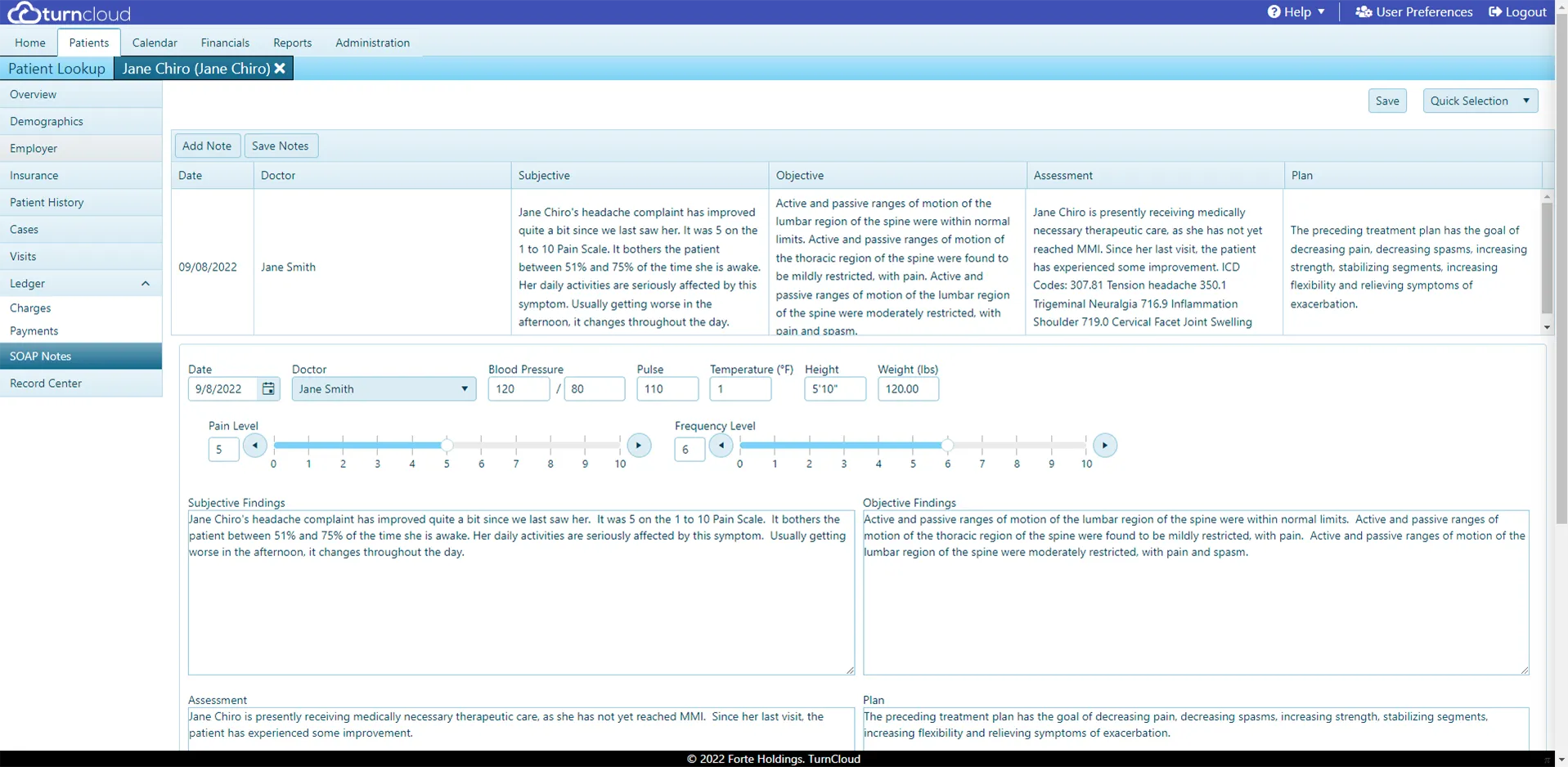
That focus helps your staff learn the workflows they actually use. Patient intake, scheduling, communication, notes, billing, insurance, and reporting are brought together in one cloud-based application.
Turncloud also follows a no-manual philosophy. The interface is designed to be intuitive, so your team does not need to memorize a complicated series of menus before they can do basic work.
Train by role:
- Front desk: Patient intake, demographics, scheduling, reminders, and two-way texting
- Doctors: Patient history, care plans, and SOAP notes
- Billing staff: Charges, claims, payments, balances, and reports
- Practice owners: Dashboards, reporting, user access, and workflow review
Step 6: Choose a Clear Go-Live Date
Your go-live date is the day your office begins using Turncloud for new activity.
Before that date:
- Complete your data review.
- Confirm your providers and locations.
- Re-enter future appointments into Turncloud’s scheduler.
- Set up fee schedules and billing workflows.
- Test patient intake.
- Test note completion.
- Confirm reminders and two-way texting.
- Make sure staff know where to get help.
On go-live day, create new patients, schedule appointments, complete notes, post payments, and manage billing in Turncloud.
A clear cutover prevents duplicate entries and confusion between systems.
Step 7: Use a Short Parallel Run
It can be helpful to keep Jane App available briefly after go-live.
Use Turncloud as your primary system, but keep Jane available for reference while your team checks historical notes, appointment details, claims, or other archived information.
Do not continue entering new information in both systems for weeks. That creates two competing versions of the truth.
A practical approach is:
- Before go-live: Export, clean, archive, map, and test the data that will actually be migrated.
- First few days: Use Turncloud for all new activity and Jane for reference only.
- First one to two weeks: Closely review demographics, insurance details, balances, and re-entered appointments.
- After the team is comfortable: Fully retire the old workflow and retain records according to your practice’s record-retention plan.
Step 8: Use Support After the Switch
Questions are normal during the first week.
A staff member may need help finding a balance. A provider may want to refine a note workflow. Your biller may have a question about a claim or payment.
Turncloud provides friendly, live-person, U.S.-based technical support. You are not left to sort out every question on your own or wait for a generic response.
Turncloud is also cloud-based, automatically backed up, and accessible anywhere you have an internet connection. It is built on more than 30 years of chiropractic software experience, with support for both insurance and cash-based practices.
Jane App to Turncloud Migration Checklist
- Choose a target go-live date.
- List what Turncloud will migrate and what your office will archive.
- Export the Patient List Report.
- Export the Appointments Report for archive and reference.
- Export Insurance Policies.
- Request a complete chart and SOAP note export from Jane for secure storage.
- Export billing, payment, claim, and accounts receivable reports for archive and record retention.
- Confirm the migration scope: demographics, insurance details, balances, and employers.
- Remove duplicates and correct obvious data errors in the migrated data.
- Keep secure copies of all original export files.
- Review a sample migration with Turncloud.
- Confirm demographics, insurance details, balances, and employer information.
- Re-enter future appointments into Turncloud.
- Train staff by role.
- Test intake, scheduling, charting, billing, and reminders.
- Go live with Turncloud on the agreed date.
- Keep Jane available briefly for reference.
- Use Turncloud for all new activity after cutover.
- Contact live support when questions come up.
A Chiropractic-Specific Alternative to Jane App
Switching from Jane App does not have to be a drawn-out disruption.
With a focused plan and help from Turncloud’s implementation team, you can migrate the core patient and insurance information that matters, archive the historical records that stay outside Turncloud, and get your staff working in a simpler system quickly.
The payoff is a platform built around chiropractic workflows, AI SOAP Notes via Chiroglyphix™, cloud access, automatic backups, and straightforward pricing.
Turncloud’s Essential plan costs a flat $99 per month with no per-provider fees, and the Automation Package costs $149 per month. That makes it easier to budget as your practice grows, without the provider charges and add-on costs common among competitors.
If you are ready to explore a Jane App chiropractic alternative, schedule a Turncloud demo.